Skip to content

Review and share reports

A report is where experiment output becomes research another person can use. It may be a diagram, explorer, research page, or cross-experiment synthesis, but it should make the result understandable without requiring someone to replay the entire run.

Reviewing is not a ceremonial final step. It is where you decide whether the evidence is strong enough to change a belief, justify a larger run, support a product decision, or simply narrow the next question.

Read the claim, then the boundary

Open Reports for the experiment's synthesized answer. It presents the key takeaways, returns to the experiment's initial hypothesis, and explains whether the evidence supports it, weakens it, or leaves it unresolved.

Begin by getting oriented. Look for:

  1. the question or deliverable
  2. the main conclusion
  3. the strongest supporting evidence
  4. important uncertainty or limitations
  5. the recommended next action

A failed prediction can be useful negative evidence. A null result is informative only when the data, measurement sensitivity, controls, and execution were sufficient to reveal the effect if it existed.

Before acting on the result, verify the sample size, metric, comparison, data split, checkpoint, and limitations. Match the depth of review to the consequence: a directional exploratory result needs less scrutiny than a claim that will drive training spend or external communication.

Trace the source

Follow source links when you need the exact code or data behind a claim. The experiment views answer different kinds of questions:

  • Timeline for progress, decisions, and deviations
  • Plan for approved intent and expected outputs
  • Code for the complete set of changed files
  • Compute for jobs and runtime
  • Metrics for connected training or evaluation measurements
  • Worker for detailed execution context

You do not need to open every view for every report. Use provenance as a path, not a checklist. If a claim looks stale, check whether later work superseded its source.

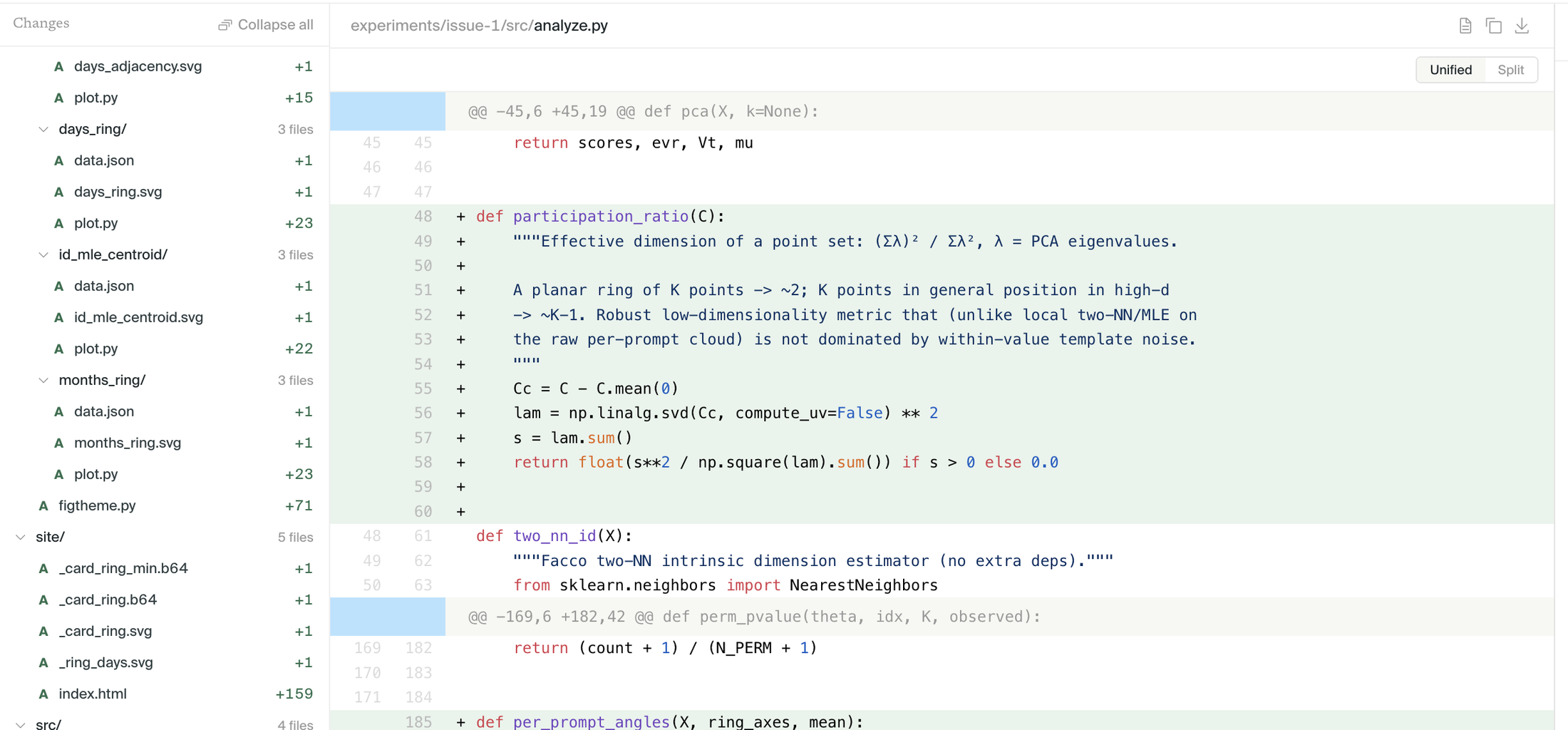
Use these links to check how a metric was computed, which rows or checkpoints were included, how a plot was transformed, and whether the caption matches the implementation. Use Code when you want the full experiment worktree rather than the files associated with one figure or section.

Silico experiment Code tab showing changed files and a code diff

One useful review habit is to try to restate the conclusion with its boundary:

On the held-out prompts and this checkpoint, the intervention reduced the measured behavior without moving the control. We have not tested transfer to the fine-tuned model.

If you cannot write that sentence from the report, the report probably needs a clearer scope.

Refine a report

Reviewing can be collaborative. Ask Silico to explain an interpretation, inspect a metric, expose a missing comparison, or improve how the result is presented. Presentation can be updated without rerunning evidence that has not changed.

Return to the parent thread when the review changes the research direction. Launch a follow-up when the correction needs new evidence. Do not edit a report into claiming what the experiment never tested.

Ask for a new report

Ask the planner for the format most useful to the audience. Name both the reader and the decision the report should support:

Create a short report for the model-training team. Lead with whether this is worth a larger run, show the control beside the main metric, and make the untested assumptions explicit.

For conflicting experiments, state the differing conditions, strongest evidence, and unresolved question.

Share the right surface

Share a report when the reader mainly needs the result. Share the thread when they will benefit from the full research record and how the conclusion developed. A public report should stand on its own because its private source references may not open for the reader.

Public report links can be opened by anyone with the link. Organization reports require organization access. See Shared Reports.

Push the code to GitHub

When an experiment produces software you want to keep using, ask Silico to push the code to GitHub. It creates a branch and draft pull request; it does not push to the default branch.

Name the target repository, or ask Silico to create a private one. Connect GitHub under Personal settings → Integrations if needed.

Together, the three surfaces serve different needs: the report communicates the result, the thread preserves the research, and the pull request packages the implementation for review and reuse.